Why Your Shop’s Map Pin Keeps Hopping Around the Garland Search Results
If you own a business in Garland, Texas, you know the feeling of pure gold: searching for your service and seeing your business right there in the “Map Pack” – the coveted top three spots on Google Maps. But for many local owners, this victory is short-lived. One day you’re dominating the rankings near Firewheel Town Center, and the next, your pin has vanished, or worse, it’s “hopping” around, appearing for some users and completely ghosting others. At True Seo, we hear this frustration daily from plumbers, lawyers, and contractors across Garland. This “Hopping Pin” phenomenon isn’t just a glitch; it is a symptom of a highly dynamic, hyper-local algorithm that responds to everything from competitor attacks to technical data gaps. In the competitive Garland landscape, visibility is never static, and understanding google business profile seo is the only way to anchor your position. We have analyzed thousands of local data points to understand why your rank falls, and it often comes down to the fundamental truth that proximity is the #1 factor for ranking in the Top 3 of Google Maps. If you are struggling with a disappearing act, you should read Garland SEO: Why Your Maps Rank Fell and How to Fix It [2026] to understand the broader context of these shifts.
The Proximity Paradox: Why Your Location “Moves” Based on the Searcher
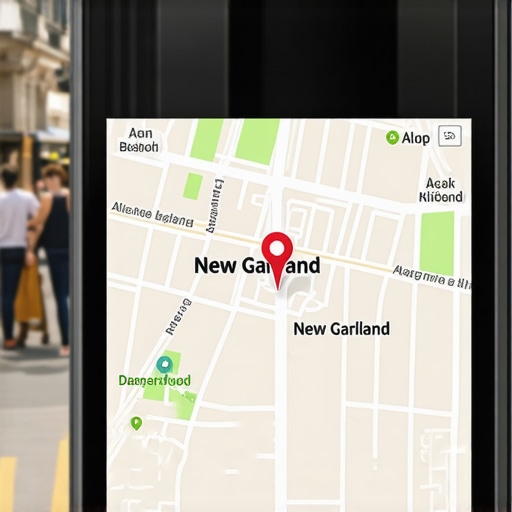
The most common reason a pin seems to “hop” is the Proximity Paradox. Many Garland business owners assume that because their shop is physically located on Miller Road, they should rank for everyone in the 75040 zip code. However, Google’s primary goal is to provide the most convenient result for the user. This means your pin doesn’t actually “move” in a literal sense; rather, your visibility radius expands and contracts based on where the searcher is standing at that exact moment. If a potential customer is standing near the Downtown Garland DART station, they will see a different set of results than if they were searching from the northern edge of the city near Buckingham Road.
The Three Pillars: Proximity, Relevance, and Prominence
To understand how to rank google business profile effectively, you must master the three pillars of local search. Proximity is how close you are to the searcher. Relevance is how well your profile matches the search intent (e.g., does Google know you are a “24-hour emergency plumber” or just a “plumber”?). Prominence is how well-known your business is based on reviews, backlinks, and local mentions. When these three aren’t aligned, your pin fluctuates. We often see businesses with great prominence but poor relevance “hop” out of the map pack the moment a searcher moves a few blocks away from their physical office. To combat this, google maps seo requires a strategy that reinforces your relevance across the entire city, not just your immediate block. For a deeper dive into stabilizing this, see our guide on Optimizing Google Maps in Garland for Maximum Local Reach.
Micro-Proximity and the “Zoom” Effect
It is important to note that not all businesses show as “map labels” by default. You might notice that some competitors have their icons visible even when no search is performed, while yours only appears when a user specifically searches for your category. This is normal behavior and is tied to your “Place Label” score. If your local search optimization is weak, Google may hide your pin until the user zooms in significantly. This lack of “label visibility” often makes owners think their pin has disappeared when, in reality, it is simply being filtered out due to a lack of authority in that specific micro-area.
The “Pin Hopping” Scam: When Competitors Attack Your Visibility
One of the most alarming reasons for a fluctuating map pin is the rise of malicious competitor tactics. In Garland, we have seen a surge in a specific type of “pin hopping” scam. Malicious actors or unscrupulous competitors use the “Suggest an Edit” feature on Google Maps to move your business location slightly. They might suggest moving your pin just 200 feet away – perhaps into the middle of a street or a nearby residential area.
Why does this matter? Because even a 200ft displacement can cause a “plummet” in local rankings. Google’s algorithm is incredibly precise; if it thinks your front door is actually in a residential backyard or a vacant lot, it triggers a “relevance mismatch.” In some cases, these “edits” are designed to trigger a suspension. If Google’s AI detects that a business address is inconsistent with its physical location, it may ghost the profile entirely. This is why we recommend using a google maps rank tracker from https://seovipertools.com to monitor your exact coordinates daily. If you suspect you have been targeted, you need to act fast; learn how to fix the map pin glitch stealing your local Garland traffic before the damage becomes permanent.
Protecting Your Profile from Malicious Edits
To prevent your pin from being moved by others, you must be proactive. We recommend checking your “Users” list in your Google Business Profile dashboard and ensuring only trusted individuals have access. Furthermore, you should regularly verify your “Primary Category” and “Service Areas.” Competitors often try to change your category to something less relevant to drop your google business profile ranking. For example, changing a “Personal Injury Lawyer” to a “Legal Service” can cause a massive drop in specialized search traffic. Monitoring these changes is a core part of any professional google maps ranking service.
Data Inconsistency: The Silent Killer of Garland Map Rankings
Google is essentially a giant “trust engine.” It wants to be 100% certain that if it sends a customer to an address in Garland, that business is actually there. If Google finds conflicting information about your business across the web, its “confidence score” in your location drops. This leads to the “hopping” effect: Google shows you when it feels confident and hides you when it doesn’t. This is often caused by NAP (Name, Address, Phone) inconsistency.
Imagine your Google Business Profile says you are at “123 Garland Ave,” but your old Yelp page says “123 Garland Avenue,” and a local chamber of commerce listing has your old phone number. This data fragmentation is a primary reason why is my google business profile not ranking consistently. To Google, these look like three potentially different businesses. Using a google business profile seo audit tool like the ones found at https://seovipertools.com can help you identify these gaps quickly. For those looking to clean up their digital footprint, check out 5 GMB Data Gaps Killing Garland Local Rankings [2026].
The Role of Local Citations in 2026
While some claim citations are dead, in local seo for small business, they remain the bedrock of geographical confirmation. In Garland, having your business correctly listed in hyper-local directories – like the Garland Chamber of Commerce or Texas-specific trade sites – acts as a “vote of confidence” for your map pin. If your citations are messy, your local map pack seo will suffer, and your pin will continue to fluctuate as Google tries to reconcile the conflicting data.
The 2026 AI Factor: How Generative Search Filters Your Business
As we move into 2026, the way Google handles local search is shifting from a simple directory to an AI-driven recommendation engine. Google’s Search Generative Experience (SGE) and AI Overviews are becoming more selective. They no longer just look for “a plumber near me”; they look for “the most reliable plumber with recent high-quality photos of pipe repair in Garland.”
This AI-driven search is filtering out profiles that lack “street-level data” or high engagement. If your profile hasn’t been updated with new photos or if you aren’t responding to reviews within 24 hours, the AI may deem your business “less active” and push your pin down in favor of a more engaged competitor. This is a critical component of google business profile optimization in the modern era. We’ve detailed this shift in Why Garland AI Search 2026 is Filtering Your Map Pin. If you don’t adapt, you risk your profile becoming a “ghost” in the local search results. You can read more about avoiding this fate here: Stop Your GMB Texas Profile From Ghosting Garland Leads in 2026.
Engagement Signals and AI Relevance
In 2026, local seo services must focus on engagement signals. This means more than just getting 5-star reviews; it means getting reviews that mention specific Garland neighborhoods like Duck Creek or Shores. It means posting “Updates” to your profile that use local landmarks. The AI uses this context to verify your physical presence and relevance to the local community, which stabilizes your pin’s position in the google business ranking.
5 Steps to Stabilize Your Garland Map Position
If you want to stop the hopping and secure a permanent spot in the Garland Map Pack, you need a systematic approach. Here is the checklist we use at True Seo to provide a gmb optimization service that actually sticks:
- 1. Verify Exact Coordinates (Latitude/Longitude): Don’t just trust the street address. Open your Google Business Profile and manually adjust the pin to sit exactly over your front door. This prevents “proximity confusion” at the street level.
- 2. Audit Citations for NAP Consistency: Ensure every mention of your business online matches your Google profile exactly. Use local seo software from https://seovipertools.com to find and fix inconsistent listings across the web.
- 3. Deploy Hyperlocal Content: Mention Garland-specific neighborhoods in your business description and in your “Google Updates.” Use the “neighborhood data trick” to signal to Google that you are the local authority. You can learn more about this in our guide: The neighborhood data trick Garland shops use to jump ahead of Texas chains.
- 4. Maximize Engagement Signals: Respond to every review – good or bad – within 24 hours. Use the google maps optimization service strategy of adding 3-5 high-quality, geo-tagged photos every week to show Google your business is active and physically present.
- 5. Use Professional Monitoring Tools: Stop guessing where you rank. Utilize local seo ranking tools like those at https://seovipertools.com to rank google business profile by tracking your performance across a grid of Garland locations. This shows you exactly where your “visibility radius” ends.
Why “Near Me” is Becoming “Best For Me”
The final step in stabilization is shifting your mindset. Google is moving away from purely proximity-based results toward “quality” results. This means your google maps ranking tips should always prioritize the user experience. A complete profile with FAQs answered, services detailed, and an active “Book Now” button will always outrank a closer business that has a bare-bones profile. This is the essence of google maps marketing.
Conclusion: Reclaiming Your Spot in the Map Pack
Map volatility is frustrating, but it is rarely random. In Garland’s competitive market, a hopping pin is usually a signal that Google is lacking confidence in your data or that a competitor is out-engaging you. Whether it’s the proximity relevance prominence triangle being out of balance or a technical “pin hopping” scam, the solution is always more data and better optimization. By verifying your coordinates, cleaning up your NAP data, and leaning into the AI-driven requirements of 2026, you can anchor your business at the top of the search results.
Don’t let your Garland business become a ghost in the machine. If you are ready to stop the fluctuations and start dominating your local area, it’s time for a professional google business profile optimization audit. At True Seo, we specialize in local seo for small business right here in Garland. Contact us today to reclaim your spot in the Map Pack and ensure your pin stays exactly where it belongs: right in front of your customers.